
MageGee 60% Keyboard Review
When you watch pro gamers on Twitch, they often use $150 mechanical keyboards. But what if you are a student or a beginner gamer with only $20 in your pocket? The MageGee MK-Box (also sold as the MageGee TS91 or Star61) has become the go-to choice for budget gamers. It is a compact “60% keyboard” that promises the clicky feel of expensive brands for the price of a large pizza.
But is a $20 keyboard actually good for gaming? Do the keys feel mushy, or is it a genuine mechanical experience? This review focuses on the real-world performance of the MageGee 60% Keyboard. We will test its gaming responsiveness in Fortnite/Valorant, the RGB lighting modes, and typing comfort. If you want to upgrade from a boring office keyboard to a cool gaming setup, this honest review will help you decide if MageGee is worth it.

- Real-Life Use Case
- The MageGee 60% keyboard is designed for gamers who have small desks or need more space for their mouse to move around.
- Typical use cases include 👇
- ✅ FPS Gaming: The small size (no number pad) gives your mouse huge room to move, which is crucial for low-sensitivity gaming in Valorant or CS2.
- ✅ Small Desk Setup: Perfect for dorm rooms or small study tables where a full-sized keyboard takes up too much space.
- ✅ Travel: It is so small and lightweight that you can easily throw it in a backpack for LAN parties or travel.
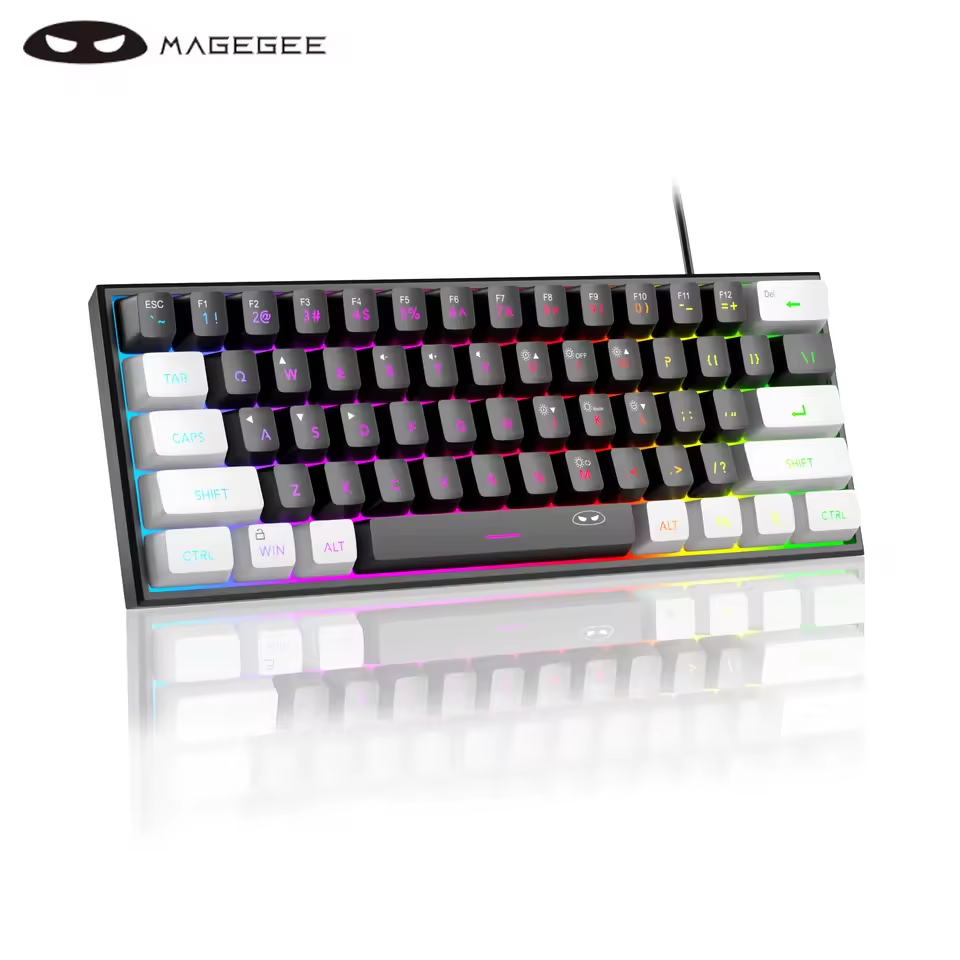
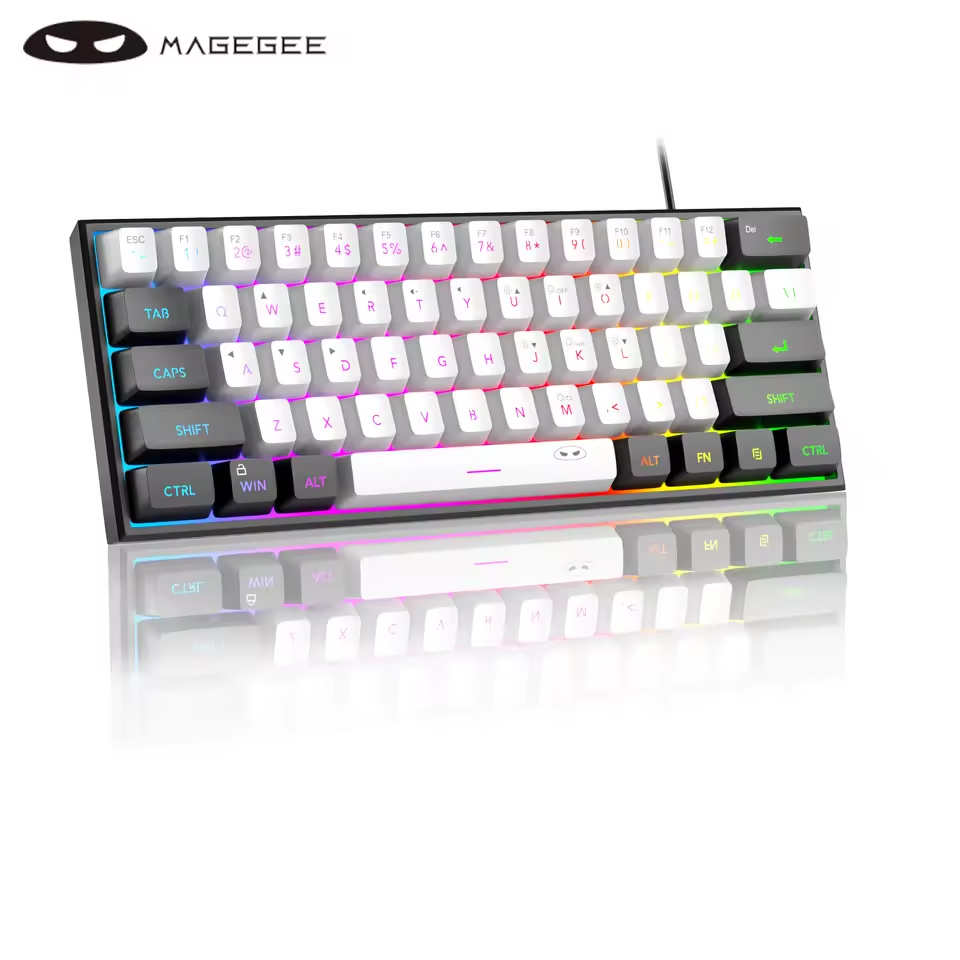
- ✅ Aesthetic: The white/black color combo with RGB lighting looks amazing on camera for TikTok or Instagram setups.
It is important to note that this is a 60% layout, meaning it has no arrow keys (dedicated) and no F-row keys. You have to use “FN” combinations to access them, which can be annoying for office work ❌.
What Is This Product?MageGee 60% Keyboard
MageGee 60% Keyboard Review
The MageGee MK-Box is a compact 68-key or 61-key wired mechanical gaming keyboard. It usually comes with Red Switches (linear/quiet) or Blue Switches (clicky/loud). It connects via a detachable USB-C cable. It features LED backlighting (often single color or rainbow, depending on the model) with multiple lighting effects. It is compatible with Windows, Mac, and even PS4/PS5/Xbox for games that support keyboard input.
Key Features
MageGee 60% Keyboard Review
- ✅ Compact 60% Layout: Removes the number pad and navigation cluster to save massive desk space for mouse movement 🖱️
- ✅ Mechanical Switches: Comes with real mechanical switches (usually Outemu or Jixian clones) that offer a satisfying tactile feel and sound ⌨️.
- ✅ LED Backlighting: Features bright LED lights with ~15 different modes (breathing, wave, reactive) to match your gaming setup 💡.
- ✅ Detachable Cable: Uses a standard USB-C to USB-A cable, making it easy to replace or carry around 🔌.
- ✅ Anti-Ghosting: Supports full-key rollover, meaning you can press multiple keys at once (like W+Shift+Space) without any lag in games 🎮.


✅❌ Real Pros & Cons (Mandatory Honest Section)
MageGee 60% Keyboard Review
| 👍 The Good (Pros) | 👎 The Bad (Cons) |
| ✅ Insane Value 💰: For $20 – $25, getting a real mechanical keyboard with a detachable cable is unbeatable. Big brands charge $50+ for this. | ❌ No Dedicated Arrow Keys: To use arrow keys, you often have to hold FN + W/A/S/D or FN + I/J/K/L. This is a nightmare for editing text or coding. |
| ✅ Typing Feel: The keys feel snappy and responsive. Whether you choose Blue (Clicky) or Red (Smooth), it feels much better than a membrane keyboard. | ❌ Loud Ping Sound: The keyboard has a metallic “ping” or hollow sound when typing fast. It doesn’t sound “thocky” or premium out of the box. |
| ✅ Mouse Space: If you play shooter games, the extra space this keyboard gives your mouse hand is a game-changer for aiming. | ❌ Not Hot-Swappable: Most MageGee models sold under $25 are soldered. You cannot pull out the switches to replace them if one breaks. |
| ✅ Build Quality: Despite being plastic, it feels surprisingly sturdy and heavy. It doesn’t flex or creak easily. | ❌ Fixed Lighting: On cheaper models (TS91), the lights are “Rainbow” (fixed colors per row), not “RGB” (where you can change key colors). |
| ✅ Looks Cool: The dual-color keycaps (Black/White or Grey/Black) look premium and modern. | ❌ Keycap Font: The font on the keycaps looks a bit “gamery” and cheap, which might not appeal to minimalists. |
Price and Value
MageGee 60% Keyboard Review
Current Market Price: $18.00 – $28.00 USD (varies by AliExpress/Amazon sales and switch type).
At this price, the MageGee is the undisputed king of entry-level mechanical keyboards. It competes with Redragon K617 ($35) and Royal Kludge ($45) but costs significantly less. If you just want to experience mechanical switches without spending a fortune, this is the best starting point.
Who Should Buy / Who Should Not?
MageGee 60% Keyboard
- Who Should Buy This Keyboard
- ✅ Gamers on a strict budget (students/kids).
- ✅ FPS players who constantly hit their mouse against their full-sized keyboard.
- ✅ People who want a cheap backup keyboard for travel.
- ✅ Modders who want a cheap base to practice tape mods or foam mods.
- Who Should Not Buy This Keyboard
- ❌ Programmers or Excel users (The lack of arrow keys and Numpad will drive you crazy). ❌ People who work in quiet offices (The Blue switches are VERY loud).
- ❌ Enthusiasts looking for “Thocky” custom keyboard sound.
- ❌ Users who need dedicated media keys.
Helpful Buying Guide (Switch Choice)
MageGee 60% Keyboard Review
Choosing the right switch is the most important part. Here is a simple guide:
- 1. Blue Switch: Best for typing and solo gaming. It makes a loud “Click-Clack” sound. Warning: Do not buy this if you have a roommate or use an open mic, it is very noisy.
- 2. Red Switch: Best for gaming (Fortnite/Valorant) and office. It is smooth, linear, and much quieter. There is no tactile bump, just a straight press down.
- 3. Shortcuts: Memorize the shortcuts! Usually, FN + \ changes the light mode, and FN + Arrow Keys adjusts brightness.
Final Thoughts
MageGee 60% Keyboard Review
The MageGee 60% Keyboard is not perfect, but for $20, it is a miracle. It gives you 90% of the mechanical gaming experience for 20% of the price of a Razer or Corsair board. It looks great, feels clicky, and saves desk space. It is the perfect first step into the mechanical keyboard hobby.
You can paste this just before the Buy Now button 👇
👉 If you want to upgrade your gaming setup with a cool, compact mechanical keyboard without breaking the bank, the MageGee MK-Box is the best value choice in 2025.
People Also Ask Style
How to change colors on MageGee keyboard?
Press FN + PrtSc or FN + \ (Pipe Key) to cycle through the lighting modes. Press FN + Arrow Up/Down to change brightness.
Is MageGee keyboard hot swappable?
Most budget versions (under $25) are NOT hot-swappable. The switches are soldered onto the board, so you cannot easily change them.
How do I use arrow keys?
On most MageGee 60% keyboards, you press FN + W to swap WASD keys to Arrow keys, or hold FN + I/J/K/L for temporary arrow use. Check the manual for your specific model.
Does it work with PS5?
Yes, it works as a standard USB keyboard on PS4, PS5, and Xbox Series X/S for games that support mouse and keyboard input (like Fortnite, COD, Minecraft).
Recommended For You 🔗
Lenovo GM2 Pro Review – The Best Gaming Earbuds Under $10? (2025)
Baseus Bowie H1s Review – The Best Budget Noise Cancelling Headphones of 2025?
Android TV Stick Guide: H96 Max TV Stick Review – Turn Your TV into a Smart TV (2025)
AI Smart Camera Glasses Review – The Best Budget Ray-Ban Alternative Under $60? (2025)
Xiaomi Mijia A1R 3S Drone Review: Is This $23 8K Drone Real? (2025) 🚁
AWithZ Spot Welder Review: Is This Portable DIY Battery Spot Welder Worth It for 18650 Cells?