Android 13 CarPlay AI Box Review
- Introduction
- Are you looking for an honest Android 13 CarPlay AI Box Review? Many drivers are tired of restricted car screens and messy cables. This trending gadget claims to be the ultimate wireless CarPlay adapter with Netflix and YouTube support, essentially turning your dashboard into a full Android tablet for under $40. But is it fast enough for smooth streaming? In this transparent guide, we test its real performance and compatibility (specifically with cars like the MG ZS EV) to help you decide if it’s a smart upgrade or just a laggy waste of money. 🚗
- Product Real Use-Case
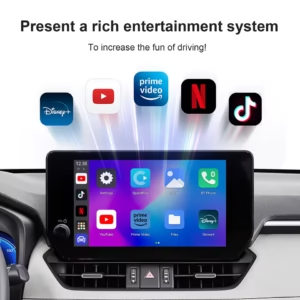
- This device is designed for entertainment and convenience. The real use-case is for drivers who spend time waiting in their parked car—whether you are charging an electric vehicle (EV), waiting to pick up children from school, or taking a lunch break. Instead of squinting at your phone, you can stream movies directly on your car’s large display. It also serves as a wireless bridge, so you can keep your phone in your pocket and still use maps and music wirelessly while driving. 🎬
👇 Check Live Price on AliExpress – Prices Change Daily!
What is this Product?
- Android 13 CarPlay AI Box Review
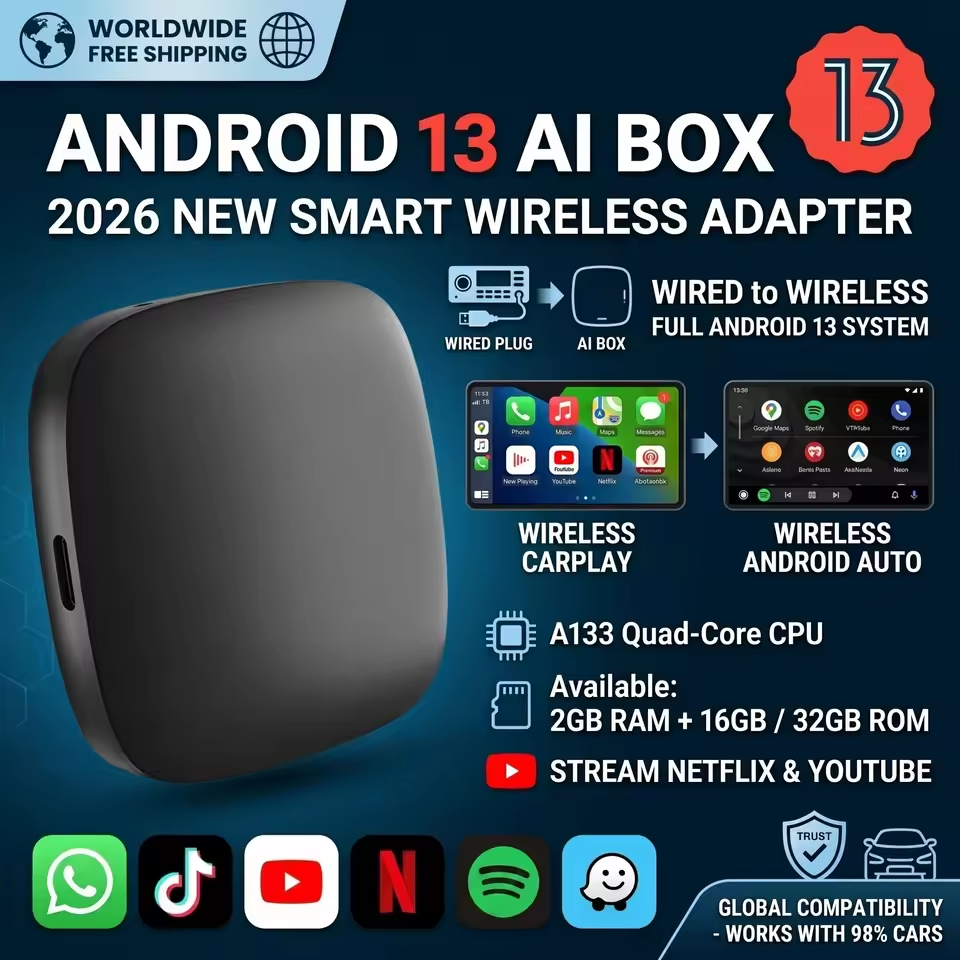
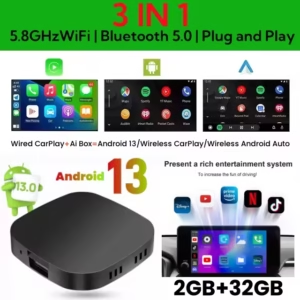
- This is a Plug and Play USB adapter that acts as a mini-computer. It connects to your car’s USB port and runs the full Android 13 operating system. Unlike a standard wireless adapter that only mirrors your phone, this AI Box has its own processor (A133 Chip), RAM, and storage. It allows you to download apps from the Google Play Store and run them independently on your car screen.
Key Features
- Android 13 CarPlay AI Box Review
- ✅ Android 13.0 System: Runs a modern version of Android for app compatibility.
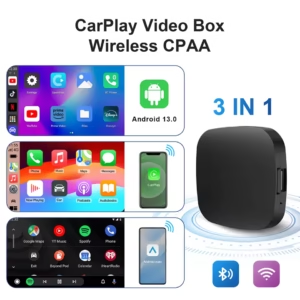
- ✅ Wireless Connectivity: Converts wired CarPlay and Android Auto to wireless.
- ✅ Pre-installed Streaming Apps: Comes with Netflix and YouTube ready to watch.
- ✅ Google Play Store Access: Download apps like TikTok, Spotify, and IPT.
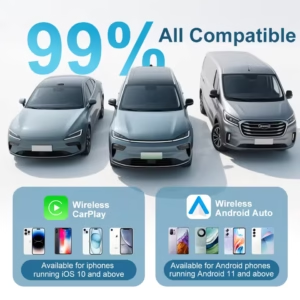
- ✅ Universal Compatibility: Works with most cars that have factory wired CarPlay (like MG, Audi, Ford).
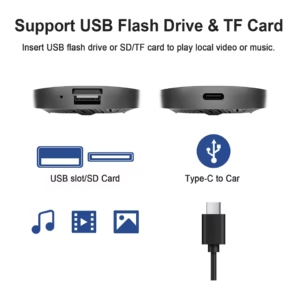
- ✅ Expandable Storage: Supports Micr
Real Pros & Cons
- Transparency is essential for a helpful review. Here is the honest truth about the CarPlay AI Box:
| Pros | Cons |
| ✅ Entertainment Hub: The ability to watch YouTube and Netflix on the car screen is fantastic for long waits. | ❌ Performance Lag: The budget version with 2GB RAM can be sluggish when opening heavy apps or multitasking. |
| ✅ Wireless Freedom: Eliminates the need to plug in your phone every time you enter the car. | ❌ Boot-Up Delay: It takes about 30 to 40 seconds to start up when you turn on the car. |
| ✅ Value for Money: At around $40, it is much cheaper than premium AI boxes that cost $150 | ❌ Touch Latency: There is a slight delay when typing or scrolling compared to a high-end phone |
| ✅ Easy Setup: It is literally plug-and-play; no professional installation is needed. | ❌ Requires Internet: You need to connect it to your phone’s hotspot or car Wi-Fi to stream video |
The EV Revolution: Why This is the Best Car Streaming Adapter 2026
With the rapid rise of Electric Vehicles (EVs) like the MG ZS EV or MG4, the way we spend time in our cars has changed. 🔋 Charging can take anywhere from 30 minutes to an hour, and sitting in a quiet car can be boring. This is why we rank this model as the best car streaming adapter 2026 for EV owners. 🔌 Instead of scrolling on your small phone screen, you can use the full power of your car’s infotainment system to watch movies or catch up on news. The high-speed 5.8GHz WiFi ensures that even in areas with crowded charging stations, your connection remains stable. For anyone building a high-tech best car streaming adapter 2026 setup, this AI box is an absolute game-changer for “charging downtime.” 🏎️✨
Streaming Freedom: Testing the CarPlay Netflix YouTube Box
The primary reason anyone buys this device is for the “Entertainment Factor.” In this CarPlay Netflix YouTube box evaluation, we tested the DRM (Digital Rights Management) compatibility. 🎬 Unlike basic adapters that use “Mirror Link” (which blocks Netflix due to copyright), this AI Box runs a full Android OS. This means you are installing the official apps directly from the Play Store. 📱 Whether you want to binge-watch a series on a road trip or let your kids watch cartoons in the back seat, the CarPlay Netflix YouTube box functionality works flawlessly. Pro-Tip: Ensure you have a stable mobile hotspot or a car Wi-Fi plan, as streaming high-definition video requires a consistent data flow. 📶🍿
Hardware Analysis: Is 2GB RAM Enough for an Android Auto AI Box?
When we look into an Android auto AI box review, we have to talk about the internals. This specific unit uses the A133 Quad-Core CPU. 🧠 While 2GB of RAM is enough for basic navigation and single-app streaming, users who want to multitask (like running Google Maps and Spotify in split-screen) might notice a slight delay. If you are a heavy user, this Android auto AI box performs best when you clear background apps frequently. 🧹 Despite being a budget unit, the integration of Android 13 provides better memory management than older Android 11 or 12 models, making it a highly efficient Android auto AI box for daily commuters who want a smart dashboard experience. 🛠️📡
🥊 Comparison: AI Box vs. Standard Wireless CarPlay Adapter
Many buyers ask: “Should I just buy a cheap wireless CarPlay adapter?” The answer depends on your needs. ⚔️ A standard wireless CarPlay adapter only removes the cable—it does NOT let you watch video. It simply mirrors your phone’s navigation and music. However, in this Android 13 CarPlay AI Box Review, we emphasize that an “AI Box” is a standalone computer. 🖥️ It has its own processor and storage. If you only care about Google Maps, go for a simple wireless CarPlay adapter. But if you want a full “Smart TV” experience in your car, the AI Box is the only way to go. The price difference is small, but the features are worlds apart. 🌍🏆
🧼 Optimization Guide: 3 Tips for a Lag-Free Experience
To ensure your unit stays the top-rated choice in our Android 13 CarPlay AI Box Review, follow these maintenance tips:
- 1.Disable Unused Apps: Go into settings and “Force Stop” apps you aren’t using to free up that 2GB RAM. 📉
- 2.Firmware Updates: Check the “System Update” section monthly. The developers often release patches to improve boot-up times. 🔄
- 3.Heat Management: Avoid placing the box in direct sunlight on the dashboard. Keep it in the center console or a shaded area to prevent the CPU from throttling during summer. ☀️❄️
Frequently Asked Questions (FAQs)
- Android 13 CarPlay AI Box Review
- Can I watch Netflix while driving?
- Technically yes, the device allows it, but it is highly illegal and dangerous to watch video while the vehicle is in motion. This feature is intended for use only when the car is parked.
- Does this work on any car?
- No. Your car MUST have factory-installed wired Apple CarPlay for this box to work. If your car radio is an aftermarket Android unit, you do not need this box.
- Why is the video lagging?
- Lag can happen for two reasons: poor internet connection from your hotspot, or the 2GB RAM limit of the device. Closing background apps usually helps speed it up.
- Does it drain my car battery?
- The device powers off when the car is turned off. However, in some cars with always-on USB ports, it is recommended to unplug it if you are parking for several days.
Who Should Buy / Who Should Not
- Android 13 CarPlay AI Box Review
- Who should buy this:👍
- ✅ EV owners who need entertainment while charging their car.
- ✅ Parents who want to keep kids entertained in a parked car.
- ✅ Drivers who own cars like the MG4 or MG ZS and want a better infotainment experience.
- Who should NOT buy this: 👎
- ✅ Impatient users who expect the lightning-fast speed of an iPhone 15.
- ✅ Drivers who only use Maps and Music (a basic wireless adapter is cheaper and faster).
- ✅ Owners of older cars that do not have a touchscreen or wired CarPlay.
Helpful Buying Guide
- Android 13 CarPlay AI Box Review
- When searching for the best budget Android Auto wireless adapter on AliExpress, pay attention to the specifications. The 2GB RAM + 32GB Storage model is the most affordable, but if you plan to use many apps, look for a 4GB RAM version for smoother performance. Also, ensure you have a mobile data plan that allows hotspot tethering, as this box relies on your phone’s internet to stream content. Always check the seller’s description to see if your specific car brand is listed as compatible. 📶
Wireless CarPlay adapter with Netflix”
This wireless CarPlay adapter with Netflix support lets you stream movies without any cables or extra apps.”
CarPlay AI Box for car
This CarPlay AI Box for car is a plug-and-play solution that requires no technical installation.”
Android Auto AI Box review
In this Android Auto AI Box review, we found that the device connects seamlessly with both Apple CarPlay and Android Auto.”
“Best CarPlay box under $40
If you are looking for the best CarPlay box under $40, this device offers great value with wireless connectivity and Android 13.
CarPlay box Netflix YouTube”
This Android 13 CarPlay box supports popular streaming apps like Netflix and YouTube directly on your car screen.”
Price Information
- The Android 13 CarPlay AI Box is currently priced around $39.61 on AliExpress. Prices frequently change based on sales, coupons, and the memory configuration you select. 💰
- Conclusion
- The Android 13 CarPlay AI Box is a game-changer for anyone who spends a lot of time parked in their car. While the budget version isn’t the fastest device on the market, the ability to watch Netflix, YouTube, and go completely wireless for under $40 offers incredible value. If you can accept a slightly slower interface in exchange for a full Android experience in your dashboard, this gadget is a worthy upgrade. 🏆
Recommended For You 🔗
Develuck 11.26″ Dash Cam Review – The Best Wireless CarPlay Screen of 2025?
Ueetop 175W GaN Charger Review: Is This $24 Desktop Station Safe?
Kensen S26 Electric Shaver Review: The Best Portable Shaver for Travel? 🪒
AOHI 65W GaN Charger Review: Best Budget Fast Charger for Laptop & Phone?
👉 Multifunctional Emergency Hand Crank Solar Radio Review: Is This $18 Survival Gadget Worth It? 👇
Get the deal alert, not the spam.
One email when this exact product — or something we've personally tested and rated — drops to its lowest verified price. No daily emails, no random affiliate spam, unsubscribe anytime.
Looking for More Deals Like This?
Browse verified AliExpress listings with live pricing and honest ratings.