

Table of Contents
🔥 LIMITED TIME OFFER 🔥
AliExpress MEGA SALE
UP TO 80% OFF
Sale ends June 24 — Don't miss out!
Check Latest Exchange Rates Before Buying!
👉 Open Currency ConverterEMEET S800 Review detail
🎥 Introduction
If your daily setup includes Zoom meetings in the morning, live classes in the afternoon, and occasional streaming or content recording at night, the EMEET S800 looks like a practical 4K webcam for streaming without jumping straight into premium webcam pricing. It promises 4K video, 1080p at 60fps, dual autofocus, HDR, and dual noise-cancelling mics, but real reviews show that the experience is good in the right setup, not
If you are searching for the best webcam for streaming in 4K without spending a fortune, the EMEET S800 is a serious contender.
Check Latest Price & Stock Availability! 🏷️
📦 What is the EMEET SmartCam S800 ?
EMEET S800 Review
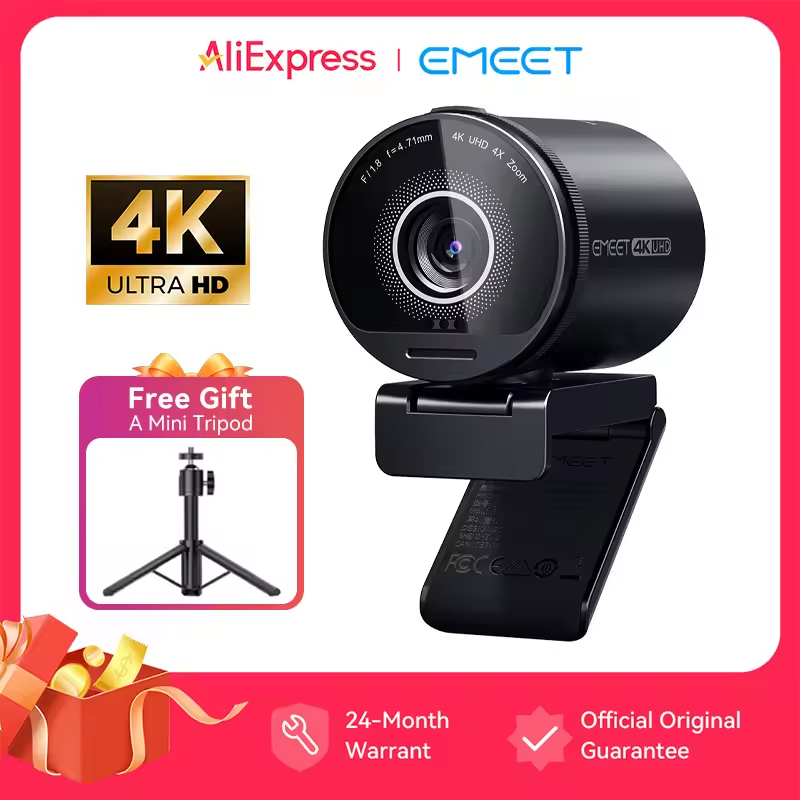
In this emeet smartcam s800 review we will test every feature of this camera. The EMEET S800 is a powerful uhd 4k live streaming webcam that provides sharp video quality for all your needs.
The EMEET S800 is a USB 4K streaming camera made for video calls, live streaming, online teaching, and general desktop content creation. Officially, it offers 4K at 30fps, 1080p at 60fps, a 1/2-inch Sony sensor, PDAF plus TOF dual autofocus, adjustable 40° to 73° field of view, HDR support, dual microphones, and plug-and-play USB connectivity. In simple words, this is a 4K webcam for streaming and meetings that tries to sit between cheap webcams and premium models like Logitech Brio 4K or Insta360 Link 2.
✨ Key Features of EMEET S800 Review
- ✅ 4K Ultra HD up to 2160p at 30fps
- ✅ 1080p video up to 60fps
- ✅ Sony 1/2-inch 8MP sensor
- ✅ PDAF plus TOF dual autofocus
- ✅ AI face autofocus and center-area focus modes
- ✅ HDR support for tricky lighting scenes
- ✅ Adjustable field of view from 40° to 73°
- ✅ Dual noise-cancelling microphones
- ✅ USB 3.0 plug-and-play connection
- ✅ EMEETLINK software for brightness, contrast, anti-flicker, HDR, and focus control
- ✅ Built-in privacy cover
- ✅ Tripod support for flexible placement


💰 Price of EMEET S800 Review
Based on the product details, the lower-priced EMEET S800 is shown at $145.75, while the higher-priced comparison option is shown at $166.60. That price gap matters because the core webcam is still in the same product category, so the cheaper listing gives better value if the seller reputation, shipping, and return terms look acceptable.
🧠 Real-World Verdict
EMEET S800 Review
In an honest EMEET S800 review, this webcam makes the most sense for buyers who want a 4K webcam for streaming, YouTube talking-head videos, Zoom, Google Meet, and casual creator work without paying premium money for motion tracking or advanced AI features. The official EMEET S800 specs are solid, and one reviewer from Fstoppers liked the clear low-noise image, sturdy build, good mounting system, privacy features, and useful app controls
At the same time, not every review is glowing. Digital Camera World found the image acceptable but sometimes bland, said autofocus can become inconsistent in difficult lighting, and noted that low light webcam performance is not class-leading when the room or backlight is challenging. That means this is not the webcam I would call flawless for every creator. It is better described as a strong mid-range USB 4K streaming camera that performs best with decent lighting and a clean desk setup.
Design and Build Quality
EMEET S800 Review
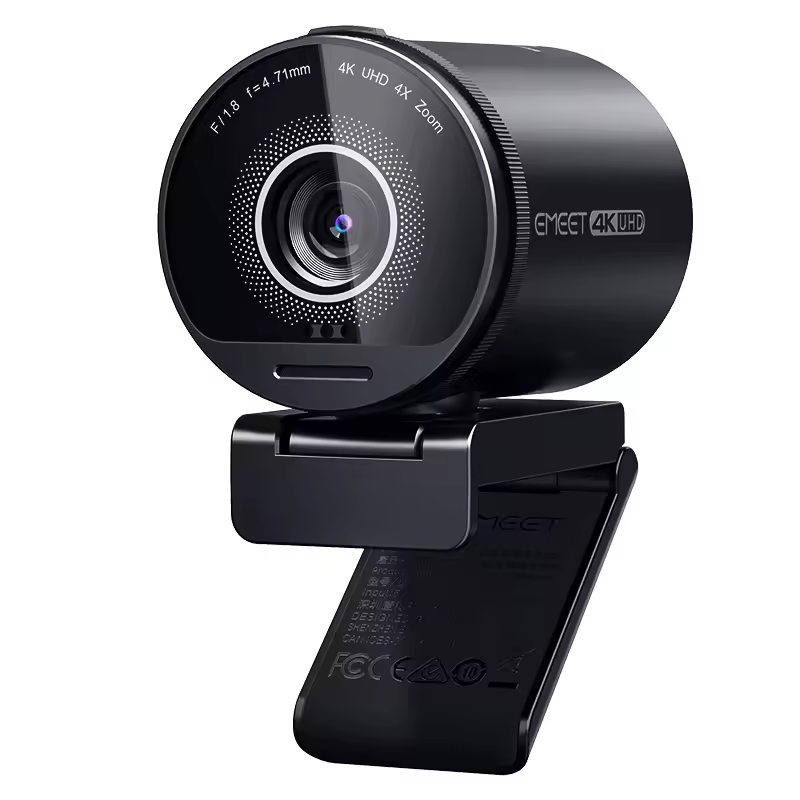
The EMEET S800 features a premium circular design that looks like a high end camera lens. It is built with a mix of durable plastic and metal accents that give it a sturdy feel on top of any monitor. One of the best physical features is the built in privacy cover which is a sliding shutter. This gives you peace of mind knowing that your camera is physically blocked when not in use. The mounting clip is also very flexible and allows for 360 degree rotation and tilting so you can find the perfect angle for your desk setup.
👍 Real Pros & 👎 Real Cons
EMEET S800 Review
| 👍 Real Pros | 👎 Real Cons |
| ✅ Sharp spec sheet for the money with 4K30 and 1080p60 | ✅ Low light webcam performance is decent, not exceptional |
| ✅ Dual autofocus system is faster than many cheaper webcams | ✅ Harsh backlight can still confuse exposure and autofocus |
| ✅ Useful for streaming, meetings, tutoring, and desk recording | ✅ Built-in microphones are fine for meetings, but not ideal for serious voice recording |
| ✅ Built-in privacy cover is practical for daily work | ✅ Software helps, but it does not fully fix weak lighting or bland color in every room |
| ✅ Dual mics are good enough for normal calls and classes | ✅ Maximum 73° field of view is narrower than some alternatives |
| ✅ Plug-and-play setup is easy for Windows and Mac users | ✅ It needs proper USB 3.0 power, so older ports can be a problem |
| ✅ Good value if you get the lower-priced listing instead of the $166 option | ✅ The $166 listing looks harder to justify when a lower-priced option exists for the same model |
| ✅ A realistic contender if you are searching best budget webcam or 4K webcam review terms |
Deep Dive into EMEETLINK Software
EMEET S800 Review
To get the most out of this 4K webcam you should definitely download the EMEETLINK software. This application allows you to customize your video feed in detail. You can adjust the brightness, contrast, and saturation to match your skin tone perfectly. More importantly, you can toggle the HDR mode on or off depending on your room lighting. The software also lets you switch between different focus modes like face tracking or fixed focus. Keeping your firmware updated through this app ensures that the dual autofocus system remains fast and accurate over time.
Obsbot meet 2 vs Emeet S800
In this Obsbot meet 2 vs Emeet S800 breakdown, we found that EMEET provides a wider field of view and better dual-mic noise cancellation
📊 Comparison: EMEET S800 lower-priced listing vs EMEET S800 $166 listing
Insta360 link 2 alternative
Many creators look for an Insta360 link 2 alternative that offers similar AI features and 4K clarity but at a much more affordable price point.
| Point | Lower-priced EMEET S800 deal | Higher-priced $166 listing |
| Visible price | $145.75 | $166.60 |
| Core product | EMEET S800 4K webcam | EMEET S800 4K webcam |
| Main visible claims | 4K, HDR, Sony sensor, dual noise-cancelling mics, free mini tripod | 4K, HDR, Sony sensor, autofocus, dual noise-cancelling mics |
| Visible rating in screenshots | 4.9 | 3.0 |
| Value impression | Better deal for buyer intent | Harder to justify unless shipping or seller terms are better |
| My take | Better buy | Only worth considering if the cheaper listing disappears |
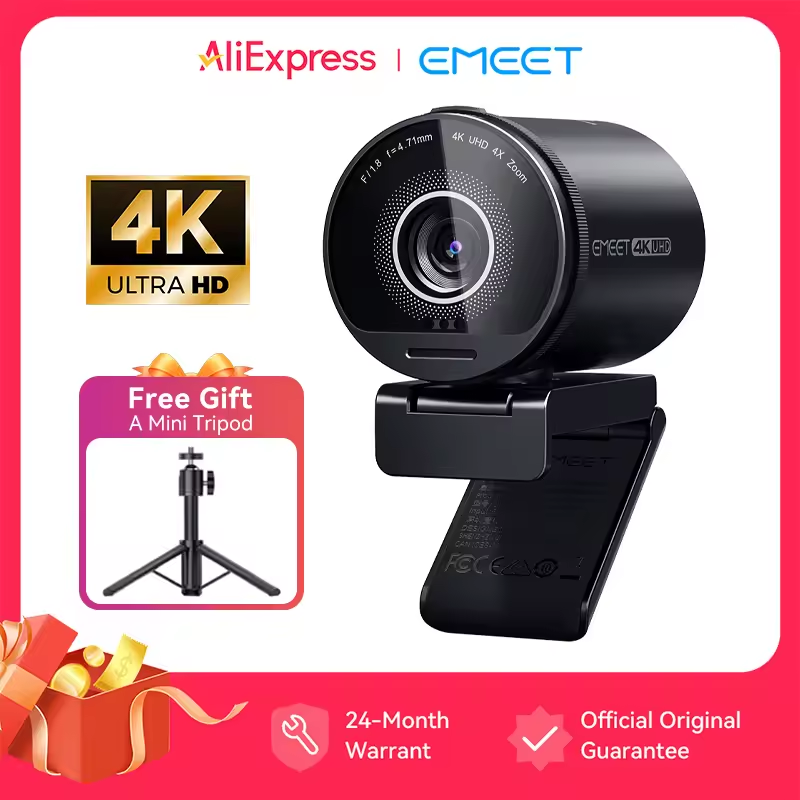
Price 145.59 USD
👉 Check Price with Free Gift on AliExpress
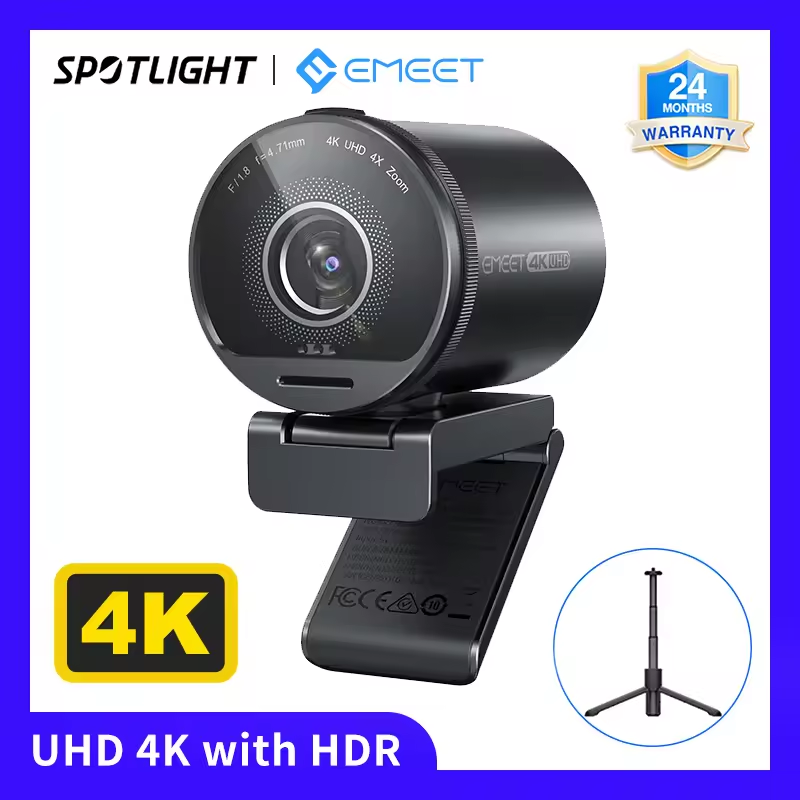
Price 166.43 USD
👉 Check HDR Version Price on AliExpress
The main takeaway is simple: if you already decided to buy the EMEET S800, the lower-priced listing makes more sense than the 166 one, because the value gap is real while the product type is basically the same. If you want the 166 version linked in this article, you essentially buy something.
Audio Performance and Noise Cancellation
EMEET S800 Review
While many streamers use a dedicated microphone, the EMEET S800 comes with dual noise cancelling mics that are surprisingly capable. These microphones use an intelligent algorithm to filter out background noises like keyboard typing or a spinning ceiling fan. This makes it a great all in one solution for students and office workers who do not want to deal with extra wires and external gear. The voice pickup is clear and natural making it ideal for Zoom calls and Microsoft Teams meetings.
best webcam for macbook pro
The plug-and-play nature of this device makes it the best webcam for macbook pro users who are tired of the grainy built-in camera quality.
👥 Who should buy this
EMEET S800 Review
- ✅ People who want a 4K webcam for streaming without jumping to premium prices
- ✅ Remote workers who want a better webcam than a basic built-in laptop camera
- ✅ Online teachers and course creators who need 1080p60 and simple setup
- ✅ Buyers searching for EMEET S800 review, EMEET S800 specs, USB 4K streaming camera, or best budget webcam
- ✅ Users who can place a desk light or ring light in front of them
🚫 Who should not buy this
EMEET S800 Review
- ✅ Buyers expecting premium AI tracking like Insta360 Link 2
- ✅ Creators who often record in poor room lighting and want top-tier low light webcam quality
- ✅ Users who need broadcast-level audio from the webcam alone
- ✅ People willing to spend more for stronger image processing and better consistency, where models like Logitech MX Brio or Insta360 Link 2 become more attractive
🛠️ How to use the EMEET S800 correctly
EMEET S800 Review
Plug the webcam into a USB 3.0 port using the included cable. This matters because the official FAQ says the S800 needs more power than USB 2.0 typically provides.
Mount it at eye level on your monitor or on a tripod if you need a cleaner angle for streaming or product demos.
Open Zoom, OBS, Google Meet, Teams, or your preferred app and select EMEET S800 as the video device.
Install EMEETLINK if you want to adjust HDR, brightness, white balance, anti-flicker, or switching between face tracking and center-area focus.
Add a soft front light or ring light if possible. This one step helps the EMEET S800 look much better and reduces the lighting issues noted by reviewers.
Use the built-in mics for calls and casual meetings, but use a dedicated USB mic if your content is voice-heavy.
🛒 Buying Guide
If your goal is value, buy the lower-priced EMEET S800 deal and skip the
199.99, which is a very different value tier.
FAQs
- What is the video quality of the EMEET S800 webcam?
- The EMEET S800 webcam delivers stunning 4K UHD resolution, ensuring crystal-clear video quality for all your streaming and video conferencing needs.
- What size sensor is the Emeet S800 sensor?
- The EMEET S800 features a high quality 1/2 inch Sony sensor that helps capture more light and detail for 4K video.
- Does the Emeet camera have a microphone?
- Yes, the EMEET S800 camera is equipped with dual noise canceling microphones to provide clear audio during video calls and streaming.
- Does the Emeet C60e have a mic?
- Yes, the EMEET C60e model also comes with a built in microphone designed for clear voice pickup during online meetings.
- How to connect emeet webcam to computer?
- To connect your EMEET webcam, simply plug the USB cable into an available USB port on your computer or laptop. It is a plug and play device and does not require extra drivers.
- Q1. Is the EMEET S800 good for streaming?
- 😊Yes, especially if you want a 4K webcam for streaming with 1080p60 support, autofocus, and simple plug-and-play setup. It is strong for entry to mid-level creators, though lighting still matters.
- Q2. Is the EMEET S800 good in low light?
- 🌙It is usable, but not class-leading. Official specs and marketing push HDR and a large Sony sensor, yet independent reviews say it still struggles in imperfect lighting and harsh backlit rooms.
- Q3. Does the EMEET S800 have software?
- 💻Yes. EMEETLINK lets you update firmware and adjust settings like HDR, anti-flicker, metering, white balance, and focus behavior.
How it Compares to Competitors
When you compare the EMEET S800 to other famous brands like the Logitech Brio or the Insta360 Link, it stands out as a budget friendly 4K alternative. While those premium models offer advanced AI tracking, the S800 focuses on providing the best raw image quality for the price. It uses a large Sony sensor which is usually found in much more expensive cameras. If you want 4K resolution and fast autofocus without spending over two hundred dollars then this model is currently one of the strongest contenders in the market.
🏁 Final Verdict
The EMEET S800 is a solid buyer-intent pick if you want a USB 4K streaming camera that feels more serious than a cheap webcam but does not cost as much as premium AI models. This EMEET S800 review comes down to one honest point: it is worth it when bought at the lower deal price, used with proper front lighting, and matched to realistic expectations. For meetings, classes, basic creator use, and everyday streaming, it does enough to stay in the conversation for best budget webcam searches. For low-light perfection or premium image tuning, look higher.
Recommended For You
UTRAI 6000A Jump Starter Review: The Best Budget Car Booster? 👇
A14 Pro Max Drone Review: Best $50 Drone with Screen Remote?

AutoKing MK5 Review: Is It Worth It? (Honest After-Use Review)
EPICJOY SummerCart 64 SC64 Review: Is it Worth It? (Honest After-Use Review)